

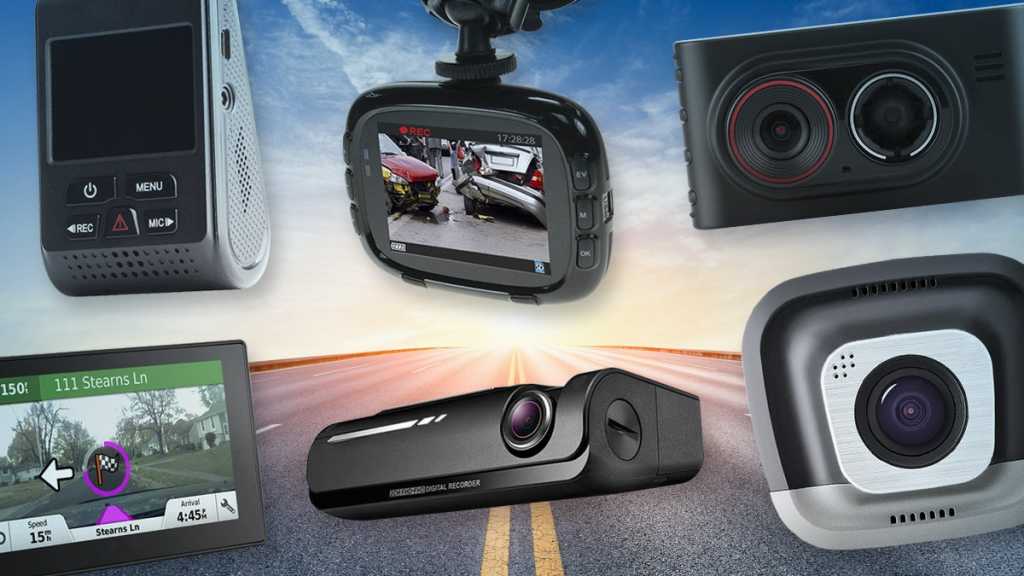
While you drive, there’s a lot happening and a dash cam works as a second pair of eyes, giving you peace of mind while out on the road. The best dash cams are alert to what’s happening while you’re behind the wheel, recording high-resolution footage with timestamps and GPS coordinates. Many can even record while your car is parked should anything happen while you’re away.
Before you decide on the best dash camera for you, you need to consider whether you want a rear, front/interior or front model. Additionally, you’ll want to decide on how wide a viewing angle you’ll need. There are also special features such as voice control and parking assist that you should consider. Since there are a number of reasons to use a dash cam, we understand that there isn’t a one-size-fits-all model. With that in mind, we’ve curated a list of our recommendations for dash cams of all types including various features and prices below.
For even more information on what to look for when buying a dash cam, scroll to our buyer’s guide under our best picks. And after you’ve bought a dash cam, save yourself some time and frustration by reading our guide on how to install a dash cam.
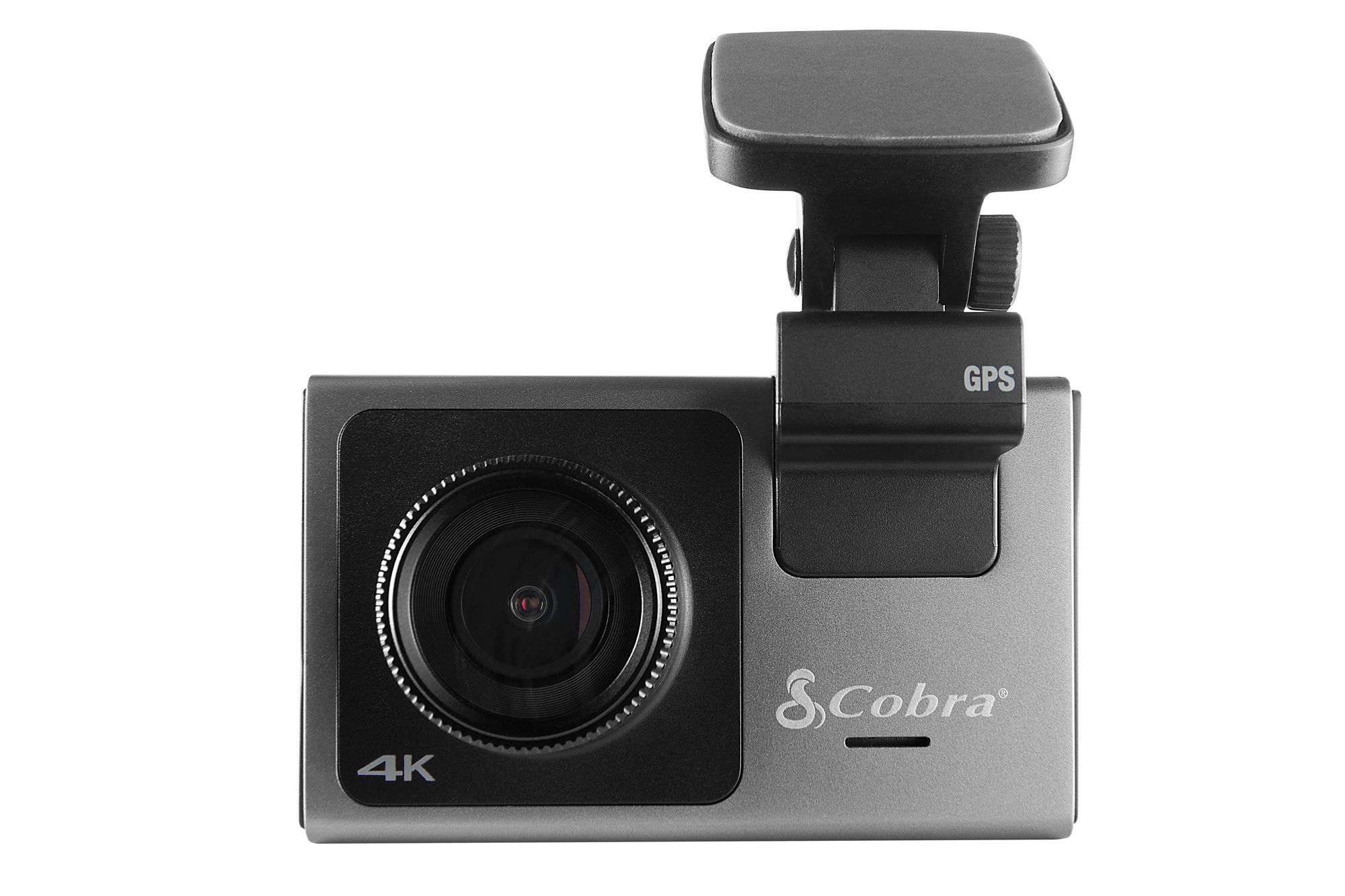
1. Cobra SC 400D – Best premium front/rear dash cam
Pros
- Excellent video captures, both front and back, day or night
- 3-inch touchscreen display
- Voice control
- Alexa support (if you care)
- 2160p (4K Ultra HD) if you wish it
Cons
- Very expensive
- Rear camera isn’t removable
We were enthralled by the Cobra SC 400D in our review. It’s pricey, yes, but it delivers the goods with stunning images—4K for the front, 1080p in the rear—day or night. It comes with a sturdy magnetic mount, integrated GPS, and a 3-inch touchscreen screen. Alexa support is available to help you find businesses. The interior can be extended with an optional 120-degree FOV Cam.
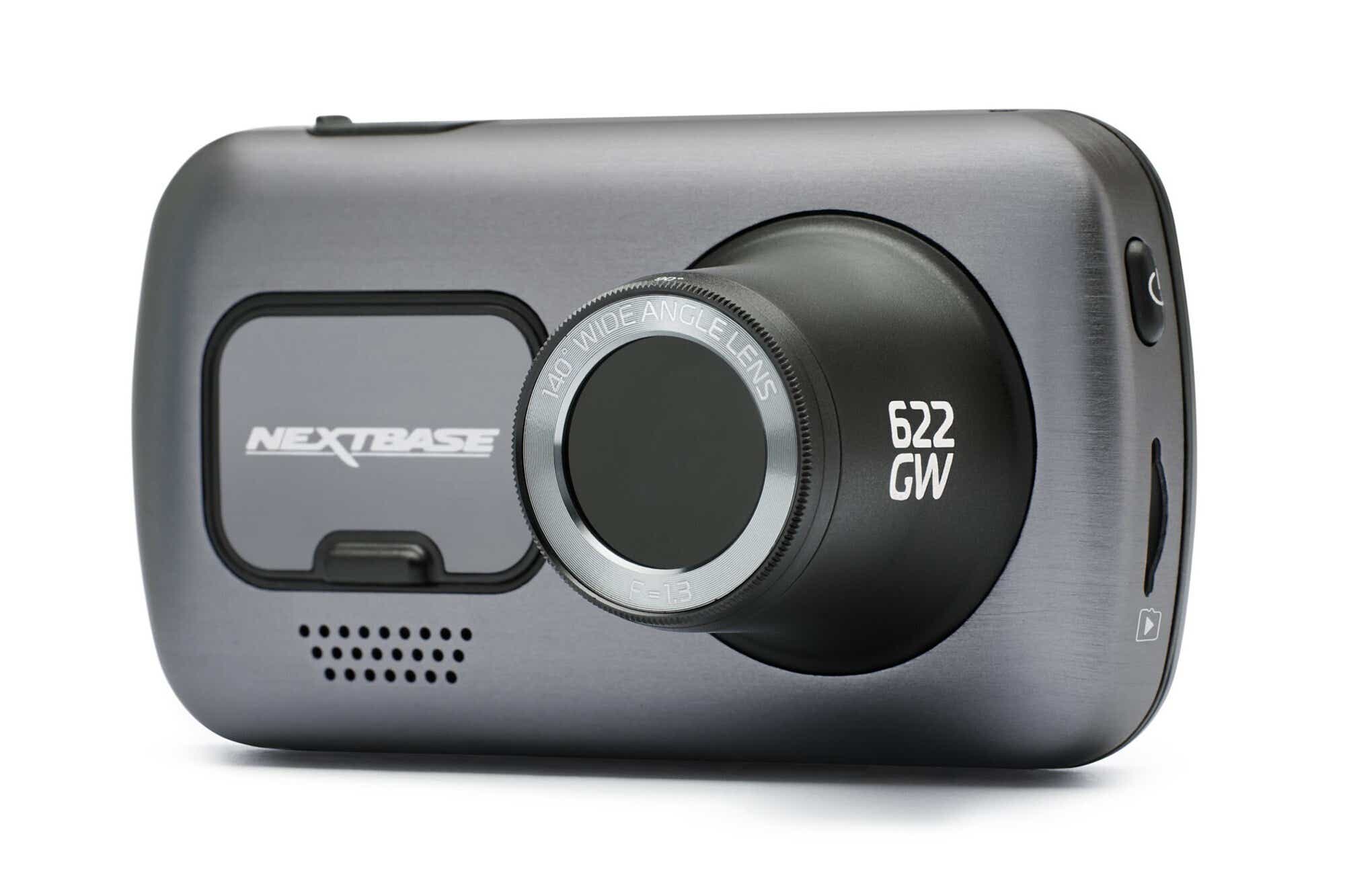
2. Nextbase 622GW – Best premium front/rear runner-up
Pros
- Stellar night and day captures
- Modular add on 1080p cameras provide interior coverage and rear coverage
- Alexa voice control, automatic emergency notifications
Prior to our review above of the Cobra SC 400D front/rear system, the 622GW was our top choice. And, really, it shares virtually all the same attributes as its rival—nice design and build quality, excellent day and night captures, drive mapping, a wonderful 3-inch display, emergency response to accidents, Alexa support, and the ability to add a third camera for interior views. It is more expensive than the 400D. But in the end, you can’t go wrong with either model.
Please read our full article
Nextbase 622GW Dash Cam review
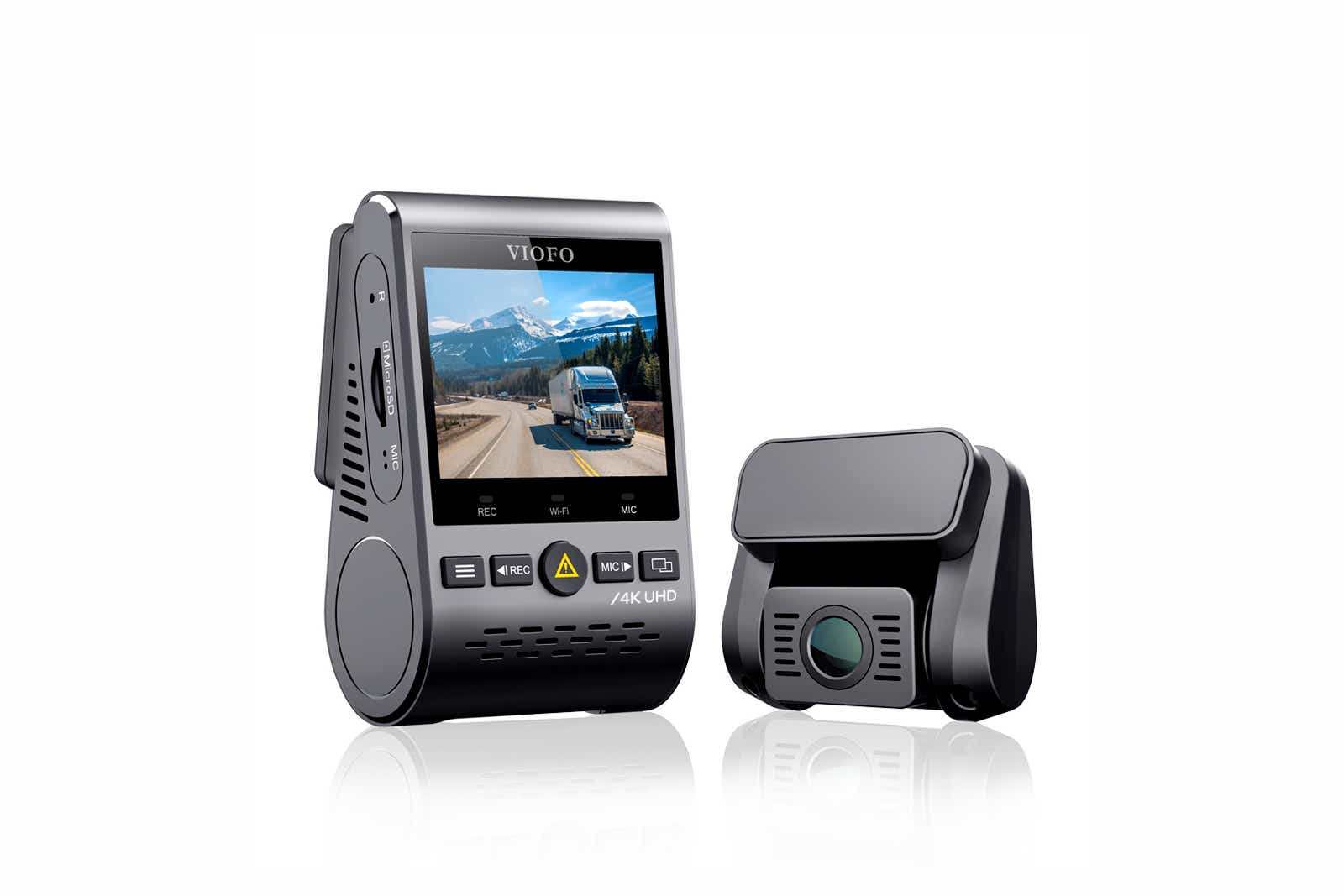
3. Viofo A129 Pro Duo – Best midrange front/rear dash cam
Pros
- Superb 4K UHD front shots.
- Rear captures at 1080p are amazing
- Simple to use
Cons
- Cameras don’t detach from mounts
The Viofo A129 Pro Duo, another of the 4K-front/1080p rear camera setups was the first to convince us of the benefits of 4K. It’s been matched in those abilities by newer models, but the A129 comes at a competitive price that can’t be ignored. The A129 also has integrated GPS and offers a pleasant user experience.
Check out our complete article
Viofo A129 Pro Duo review
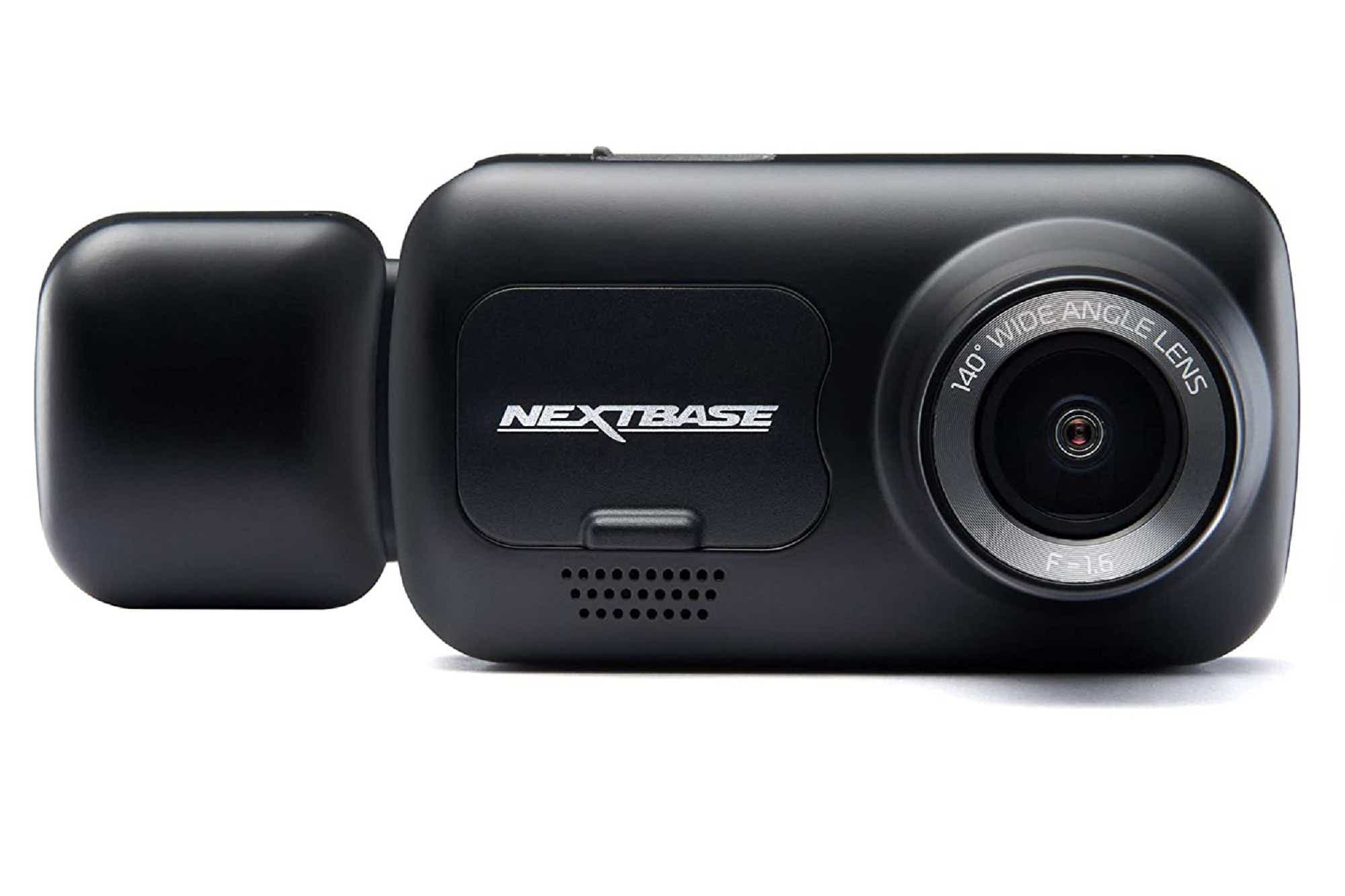
4. Nextbase 222X – Best budget front/rear dash cam
Pros
- Good front/rear-view video
- Decent nightcaps with front/rear view
- 48-hour battery-supported, parking mode and after-incident captured
Cons
- The Nextbase models are more expensive, but have a better video quality.
- Modular port, but no add-on modules
- No GPS
This Walmart-exclusive Nextbase 22X front-and back camera duo can help you save money. Although the 1080p/720p video quality is lower than expected, it still delivers excellent video quality. It has a magnetic mount, a clear 2.5 inch screen, and a battery supported parking mode.
Please read our full article
Nextbase 222X Dash Cam review
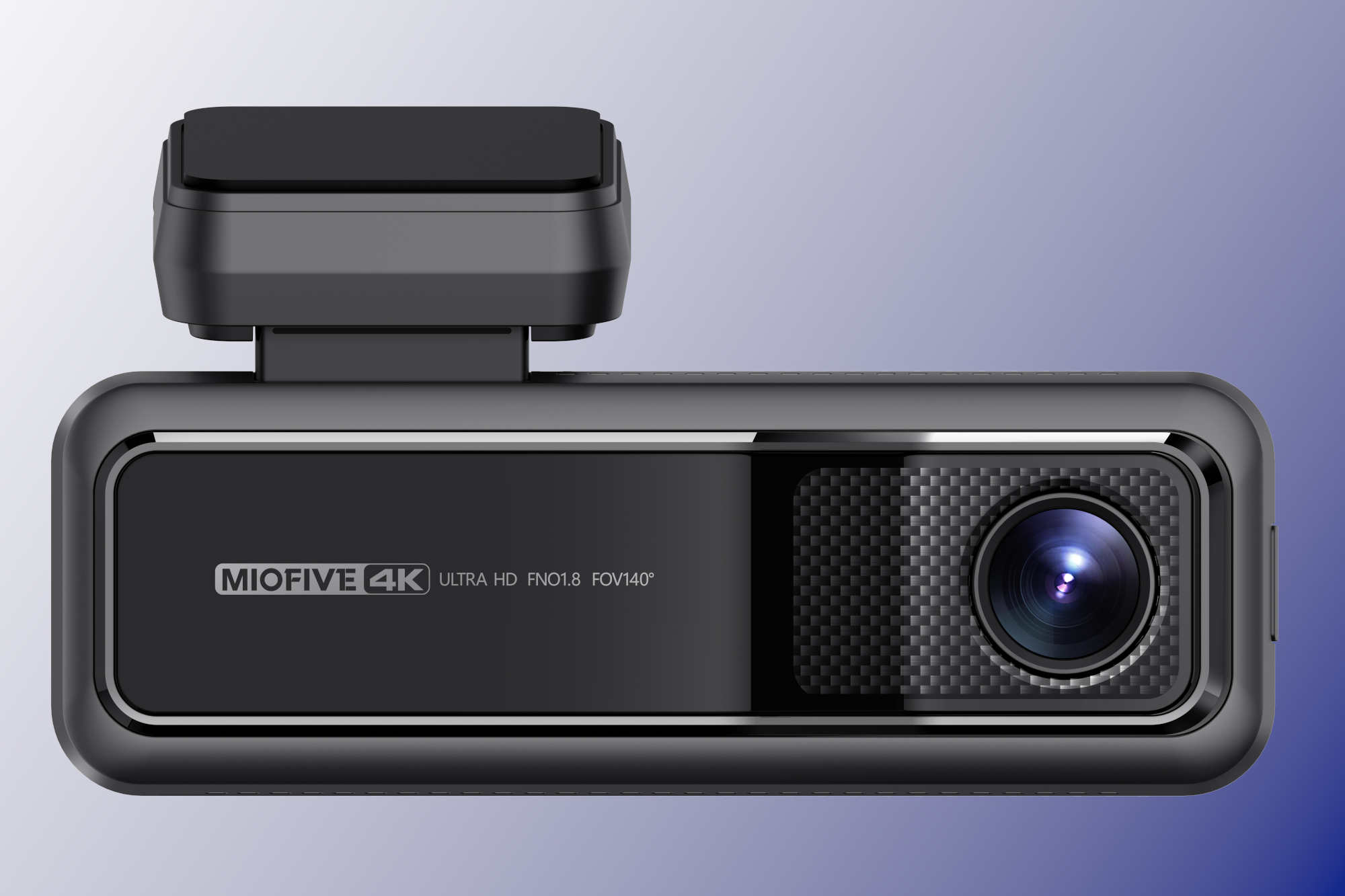
5. Miofive 4K – Best front-only dash cam
Pros
- Compact, fully integrated design
- 4K with GPS is very affordable
- Friendly voice notifications
- 64GB of internal storage
- Good night and day captures
Cons
- Internal storage cannot be replaced
- macOS won’t allow you to access the internal storage
Before we reviewed the Miofive 4K for our review, we would have tapped it. Car and Driver Eye2 ProIt is the best front-only dashcam with 4K and is a fine product. The Miofive, however, is $100 less and has integrated GPS. There are also great video captures and 64GB of internal storage. So not only is this our favorite front dash cam with 4K, it’s our favorite front cam overall.
Please read our full article
Miofive 4K dash cam review
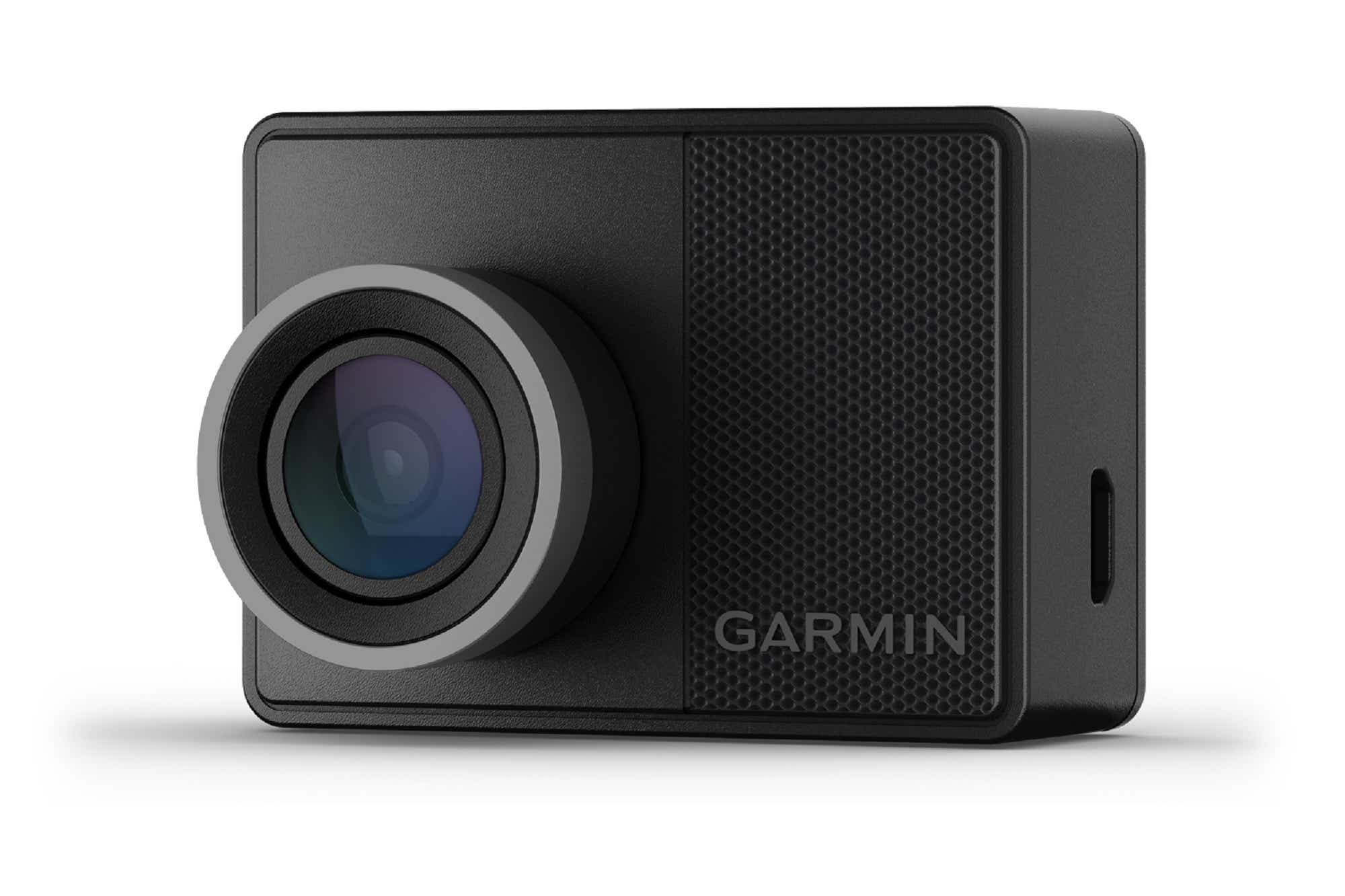
6. Garmin Dash Cam 57 – Best front-only runner-up
Pros
- Day and night photos that are vivid and detailed
- You can hide behind your mirror with a small enough size
- Magnetic mounting is super-convenient
- Cloud and phone connectivity
This small but mighty front dash cam has it all: great 1440p video with a 140-degree field of view, integrated GPS and driving assistance, good phone connectivity, an easy and convenient magnetic mounting system, and the backing of Garmin’s good name.
Check out our complete article
Garmin Dash Cam 57 review
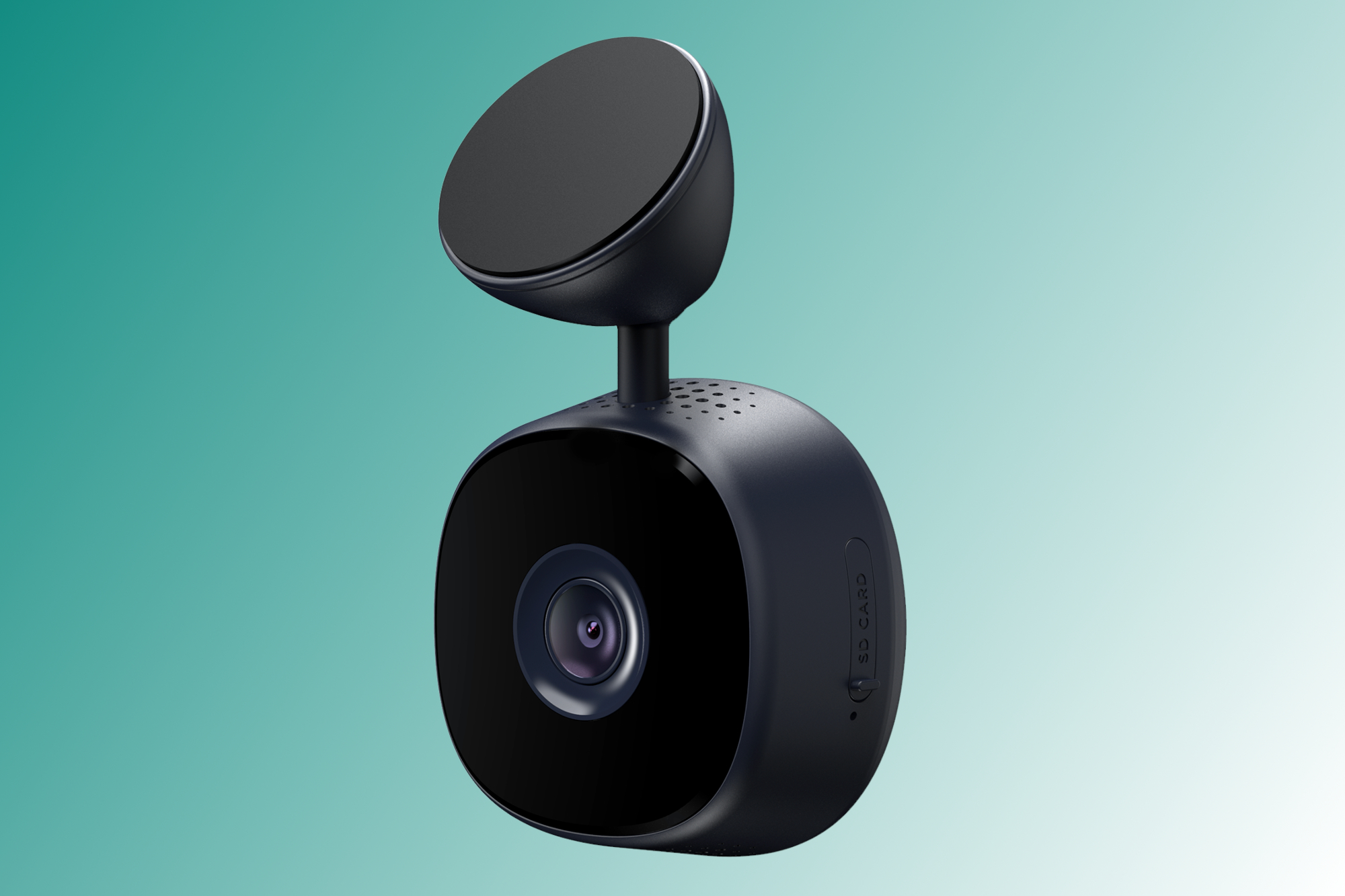
7. iOttie Aivo View – Most stealth front-only cam
Pros
- It’s easy to set-up and use
- Very good night and day captures
- Magnetic mount
- Minimalist styling and operation
Cons
- To set up and use iOttie, you will need an iOttie Account
For minimalist types, iOttie’s Aivo View consists of just a small camera that magnetically attached to a semi-permanent mount. It uses your phone’s interface and viewer. It can capture at a maximum of 1600p/30 frames/second, or as low to 720p to save storage on your SD card. It also has integrated GPS. An iOttie account is required to access the Aivo View.
If that doesn’t sit well with you, the Garmin Dash Cam Mini 2 is another excellent choice for stealth operation, measuring just 1.23 x 2.1 x 1.5 inches—small enough to remain hidden behind your sun visor. It doesn’t have GPS, however.
Please read our full article
iOttie Aivo View dash cam review
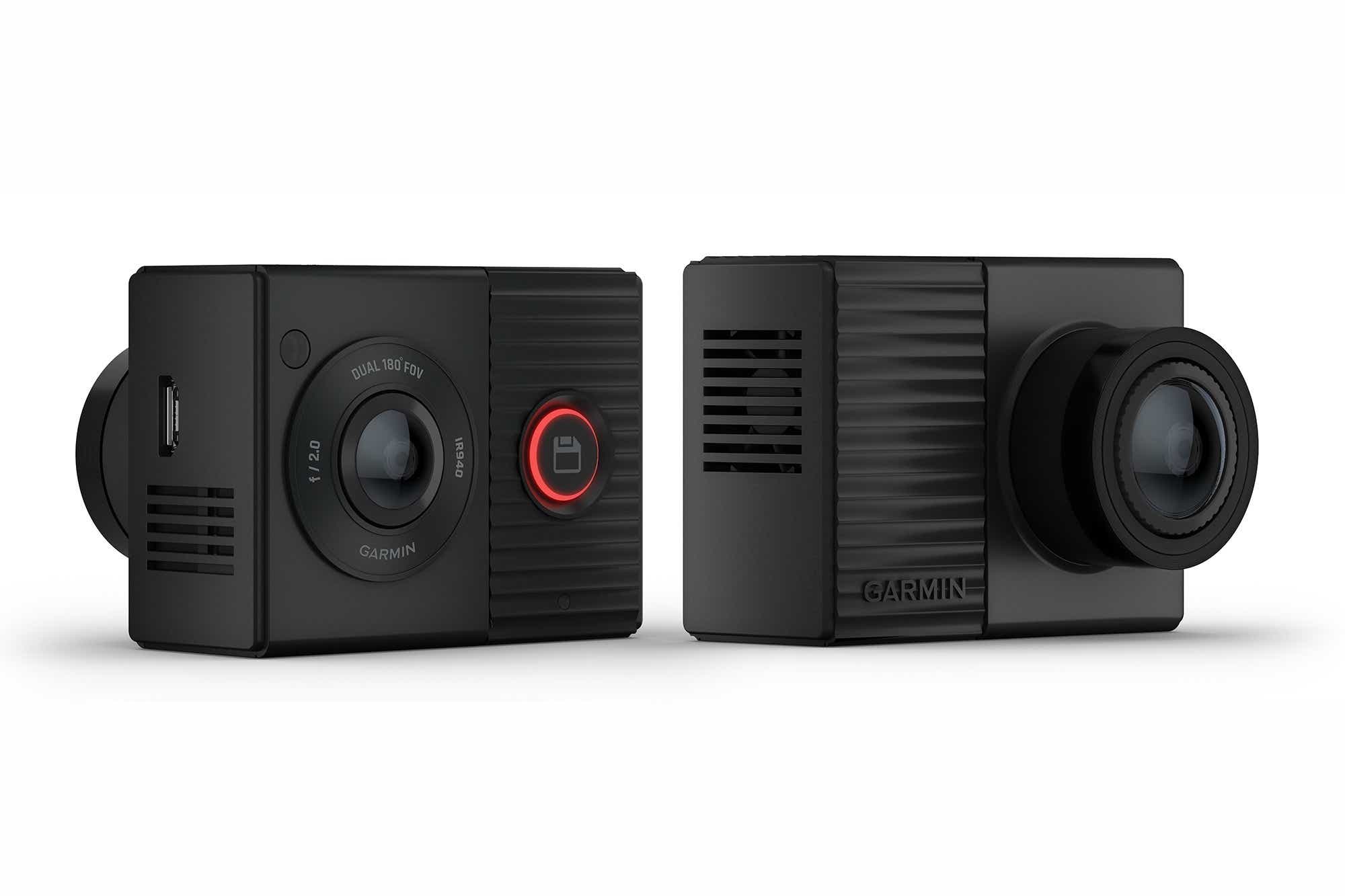
8. Garmin Dash Cam Tandem – Best front/interior dash cam
Pros
- It is very easy to install and use
- Compact profile
- Mounting is superb
- 360-degree front/interior View (minus obstructions).
Cons
- Expensive
- Average captures
Garmin’s front/interior camera is easy to install, features a compact body that helps it avoid detection, and has an excellent magnetic mount—all useful features that make up for the average 1440p/720p video capture quality. The Tandem doesn’t have a display; it nicely uses Bluetooth (as opposed to Wi-Fi) to connect to your phone, where Garmin’s easy-to-use app lets you configure settings—although the defaults are spot-on.
Please read our full article
Garmin Dash Cam Tandem review
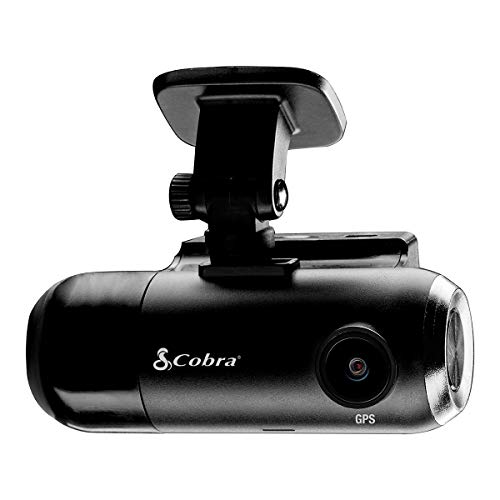
9. Cobra SC 201 – Best budget front/interior dash cam
Pros
- Excellent video, especially at Night
- Front and interior cameras are available for ride-givers
- Automatic GPS setup
- Included 16GB SD Card
Cons
- No captures without 12-volt
- Buggy software at the testing stage
- This app does not support smartphones running Android 7 and older
Dash cams are all about capturing the action, and few do it better than the front/interior Cobra SC 201. Its exterior night video is particularly impressive in its ability show details in dark environments and offers a variety of features such as GPS and cloud uploads. The company also includes a 16GB SD Card. It’s well worth the money for what you get—just don’t try to use the cloud functionality with an older phone OS.
Check out our complete article
Cobra SC 201 Smart Dash Cam review
What to look out for in a dash camera
We’ll step you through what to think about when you’re shopping for a dash cam, from video capabilities, recording options, power connections, and more.
Video capabilities
- Dual-channel support: This is what you’ll need if you want to run both front and rear, or interior (cabin-view) cameras. The dash cam is the most common place for interior cameras, but rear cameras require additional cabling.
- A decently large field for view: You’ll see cameras with as little as 90-degrees field of view, but you’ll catch more of what’s around you if you go for 120 to 140 degrees. Some cameras have 160- to 180 degree lenses. The larger the field, the more fisheye distortion there is and the more processing is needed to compensate.
- Day and nightVideo recording (night quality is a popular variant)
- Infrared Lighting is important if you want to assure good captures of nocturnal events inside the cabin of your vehicle.
- HDR (high dynamic range) isn’t necessary, but it does make for more detailed video because of better contrast. It generally indicates richer colors.
- WDR(wide dynamic range) is similar to the above, but it often refers only to color and not contrast.
- Do you need 4K UHD? It’s easy to fall victim to the specsmanship of a higher-res image. Our tests showed that 4K video (2160p), although the detail gain can vary, is still substantial. The storage investment is also heavy at four times the storage cost of 1080p or about 1GB per three minutes of video. 1080p is a more economical choice for most purposes. Don’t avoid 4K UHD—which is a feature in our best overall picks—but read the reviews first so you know whether the cost is justified.
Recording options
- Continuous loop recordingStorage requirements can be minimized. Video is recorded and then overwritten immediately at a set interval unless it is saved. Video is automatically saved (protected against overwriting) when an incident occurs. When there is not enough space, most dash cams will overwrite older recordings.
- Cloud storage With a few dashcams, this is possible. Uploading to the cloud in real time is a nice hedge against damage and theft—assuming the thief isn’t smart enough to kill the dash cam immediately. It’s handy for those managing fleets of vehicles, too, as incident videos are safely stashed online.
- Self-powered recordingSo that you can ensure that you capture all incidents even if power is lost, This requires a battery or large super-capacitor (see below in “Power connections”). The setting should allow you to set how long the camera will run off 12-volt before it shuts down.
- Incident recordingActivated by impact (G), sensors, or when in Parking Mode (see below), motion detection.
- MicroSDCard storage. Pricier dash cams bundle a storage card. Some models come with larger cards while others come without. Bundles are often included with the card. Some cameras choose hard-wired internal storage such as the Miofive 4K.
Power connections
Something most people don’t consider before they buy is that dash cams connect to a power source in your car via a physical cable. That cable can sometimes be tucked out of the way, but more likely than not you’ll have loose cable hanging somewhere. This can sometimes be fixed by using a longer or shorter cable (or professional installation). This is something to keep in mind when you are considering your power options.
- 12-volt Auxiliary power (adequate). Most vendors have stuck with powering their dash cams via the auxiliary 12-volt power socket (also known as the cigarette lighter) and USB cables. It can lead to an unsightly cable run, and the power disappears when you turn off the car, but it’s universal and easy.
- Hard-wired 12 volt power (better).Many vendors offer kits that allow you to connect the dash camera directly to a 12-volt source in your wiring harness. This provides always-on power, but it isn’t particularly easy to install.
- OBD-II 12-volt power (better).PureCam and Owl outliers use the OBD-II connection for constant 12-volt electricity. OBD-II-to USB power cables are now sold separately. These cables can be used as an alternative for hardwiring kits that draw constant 12-volt electricity from the wiring harness. I recommend one with a USB Type A port. This will allow you to use any dash cam. Most of those with captive cables I’ve seen are mini-USB. The only downside is a long cable run, as the OBD-II port is usually next to the driver’s left knee, under the dash.
- Rearview 12-volt power (better).Another option is to use your rearview mirror’s auto-dimming function to power your dash camera. It has a very short cable length. This can be done using adapters. Dongar Technologies. If your car qualifies for this, it is the best option.
- Power from a battery (or super-capacitor). Many dash cams come with super-capacitors, which allow the dash cam to operate for a brief period after losing regular power—such as during a collision. They don’t record for very long though, and sometimes not at all. A battery will give you a better chance to record an entire incident, even if 12-volt power is lost. If you have enough run time, the battery can be used to record even when the car is off.
Other useful features
- Phone connectivityAlthough it is not necessary, it can make configuring the dash camera and offloading video easier. We’ve noticed just recently (12/15/2020) that phone apps are starting to require later versions of Android. If you’re rocking anything older than 8, keep that in mind.
- GPS:If you want to resolve a dispute, this feature could be the tipping-point. Although watermarking your video is common practice, embedding GPS data into the video is extremely useful for mapping out your travels. GPS will automatically set the time in higher quality cameras.
- Parking monitoring This can mean two things. To save space and battery, you can run the dash cam in low frame rate mode and wake up when motion or g forces are detected. We’ve reviewed cameras that have a battery large enough to monitor the car with the 12-volt turned off for several days, but most cameras require a constant 12-volt source.
How do we test dash cameras?
Few people are so well placed geographically than me to test dashcams. There are major four- and six lane thoroughfares, many bike lanes, joggers and dog walkers within two blocks. A major bus nexus serves both private and public coaches. There are many options for near-accidents.
I mount every dash cam in my car and judge its ease and convenience. Tip: Many dash cams rely on adhesive for mounting to your windshield. The adhesive can become almost impossible to remove in hot weather. You can either remove the film in a cool place or put it in the refrigerator for a few minutes before you install it.
I put each dash cam through several days’ and nights’ worth of driving, recording video and judging the image quality. All the dash cams I’ve reviewed in the last couple of years take good daytime video. Night video can be slowed down by headlight flare and murky shadows. New sensors are improving quality. Take a look at the night shots in each of these reviews.
I tried all the features: Display controls, buttons, apps. Apart from rear-view support, GPS, and extra features like collision warnings and lane departure, the most significant differences between products are the interface controls. I try them…and I turn them off. In practice, they usually tell me I’m changing lanes, in heavy traffic, or have just been cut off. I know this. Moreover, collision warnings are too late to do much but distract you at the wrong time.
Note that the one thing I can’t relate to you is the longevity of any dash cam, as my testing occurs over a relatively short amount of time. You can read user reviews on different sites and pay close attention to the warranty.
FAQ
Do I really need a dashcam?
Dash cams in consumer cars are a relatively new trend. However, people have been driving for years without them. While it might not be necessary for your car, there are some legitimate benefits to having a dashcam in your car.
Many people who install dash cams act as insurance for their actions and the actions of others. You can be protected from other drivers in many ways by installing dash cams. They can prove your innocence in an accident. They can also be used to deter aggressive drivers. Some dash cams have motion-sensor parking modes, which can record any hit-and-runs and thefts that may occur while you are not at your car.
In the end, it’s ultimately up to you as to whether you believe the possible benefits of buying and using a dash cam are worth the investment.
Is it legal to use dash cams?
Yes, dash cameras are legal in all 50 states. However, it’s best to check with your particular state’s traffic laws to determine what type of dash cam you should use. For example, not all states allow a dash cam to be mounted to a windshield—it’s best to do a little research before you buy.
Will a dash cam drain my car battery?
Probably not. We mean almost certainly. A standard dashcam with motion detection, front and back coverage, and WiFi all working while your car is parked will consume between 0.25 and 0.45 amps per an hour. 45 amp hours is the average car battery. This means that your car’s battery will need to run for a few days before it can power your dash cam.
Another feature that’s becoming more common in dash cams is a low-voltage cutoff as a safeguard against dead batteries. This feature automatically shuts down your dash camera if the power drops below a threshold. So you can rest assured knowing that your dash cam won’t kill your car battery.
How much storage should I have?
To store recorded data, dash cams use removable SD cards or microSD cards. A dash camera uses an overwrite function instead of your phone or mobile device to erase old data. Therefore, you shouldn’t have to worry about your dash cam shutting off because the memory card is full.
That being said, if you want to ensure that you aren’t overwriting valuable old data, you’ll want to get an adequate-sized memory card, and consider the resolution at which the camera captures the video. 4K recordings are much larger than 1080p.
We believe that 128GB is the ideal memory card size. This will allow you to record continuously at 4K for approximately five hours or 20 hours if recorded at 1080p. Thankfully though, memory cards are relatively cheap and you won’t need to break the bank if you opt for even more storage capacity.
Source link
[Denial of responsibility! reporterbyte.com is an automatic aggregator of the all world’s media. In each content, the hyperlink to the primary source is specified. All trademarks belong to their rightful owners, all materials to their authors. If you are the owner of the content and do not want us to publish your materials, please contact us by email – reporterbyte.com The content will be deleted within 24 hours.]
