


The best free PC software programs aren’t about the cost (or lack thereof), they’re about a fresh opportunity—collections of code that put the dumb hardware in your computer to smart use, tools that can accomplish anything from balancing your household budget to helping cure cancer.
Stocking your PC can be a difficult task. Some programs are so useful that we recommend them to everyone. These free PC programs—a mix of must-haves and delightful auxiliary apps—deserve a place on almost any computer (unlike, say, this more niche roundup of 5 free Windows power user tools we can’t live without). However, there are times when a paid option is more practical. We’ve pointed out the circumstances where an upgrade over the free offering is warranted, along with our recommendation for the category.
And if you’re selecting these programs as part of breaking in an all-new PC, be sure to check out our guide to how to set up new computer up the right way. Let’s dig in!
Better browser

Microsoft
Before you start to throw your hands up and start to tossing software around, make sure you grab your preferred web browser. Using Windows 10 and 11’s default Edge browser when you’re accustomed to something else feels like wearing somebody else’s shoes. (Blech.)
That said, our money’s actually on Edge, which earned top honors in PCWorld’s extensive best browser showdown, barely nudging out Google’s just-as-superb Chrome browser. But hey, they’re all free! Try before you “buy”—we’ve published some extensive looks at compelling features you’ll only find on Edge, Firefox, Vivaldi (a.k.a. the enthusiast’s browser).
Is it worth upgrading to a paid version?
Maybe. Browsers are generally free and almost all of them are fantastic. Windows users have this option. Ghost Browser, which lets you sandbox separate online identities while viewing them all in a single window. At $120 per year, however, you’ve got to really need what Ghost Browser’s offering.
Ninite
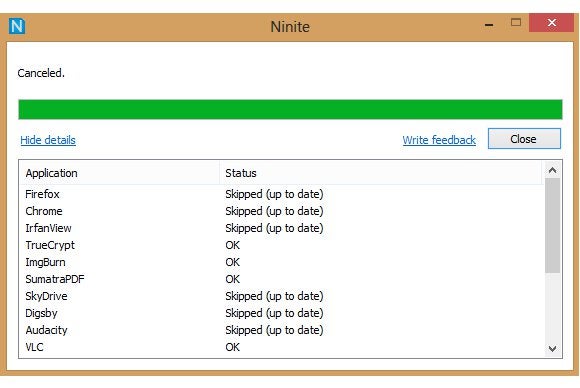
Ninite makes loading up a new computer a breeze. Simply head to the Ninite website, select which free software you’d like to install on your PC—it offers dozens of options, including many of the programs named here—and click Installer to receive a single, custom .exe file containing the installers for those programs. Run the executable and Ninite will install each one in turn. it automatically declines the offers for bundled bloatware so many free apps try to sneak in. No muss, no fuss, no hassle.
Is it worth upgrading to a paid version?
No. For most users there really isn’t a worthy alternative, and even if there was it wouldn’t justify the cost. However, there is a paid utility that can be used as a complement to the free service called Ninite Updater that costs $10 per year that makes it easy to keep all your desktop programs up-to-date.
Unchecky
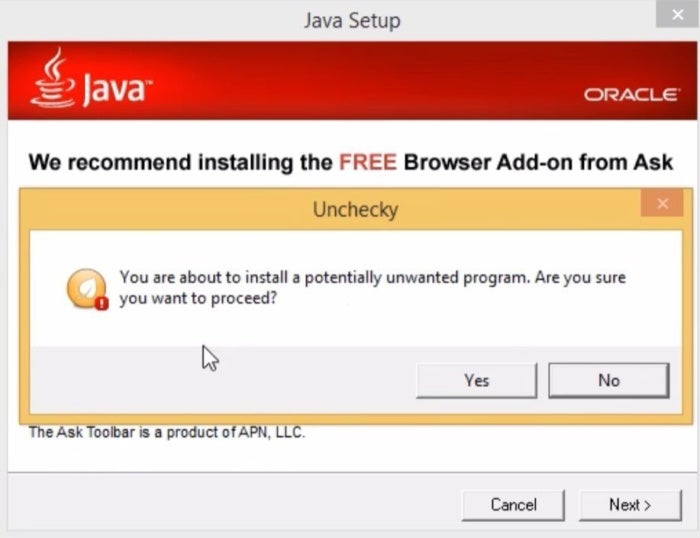
Accidentally installing unwanted bloatware is one of the greatest dangers of free software, the sanctity of Ninite aside. For everything else, use Unchecky. Unchecky automatically unchecks all of the checkboxes when you’re trying to install a program, and warns you if shady software is trying to sneak something ugly onto your machine.
Is it worth upgrading to a paid version?
No. Again Unchecky is in a league unto itself, and while you might find similar capabilities bundled in an antivirus program, there’s little reason to look elsewhere.
Microsoft PowerToys
Jared Newman/ Foundry
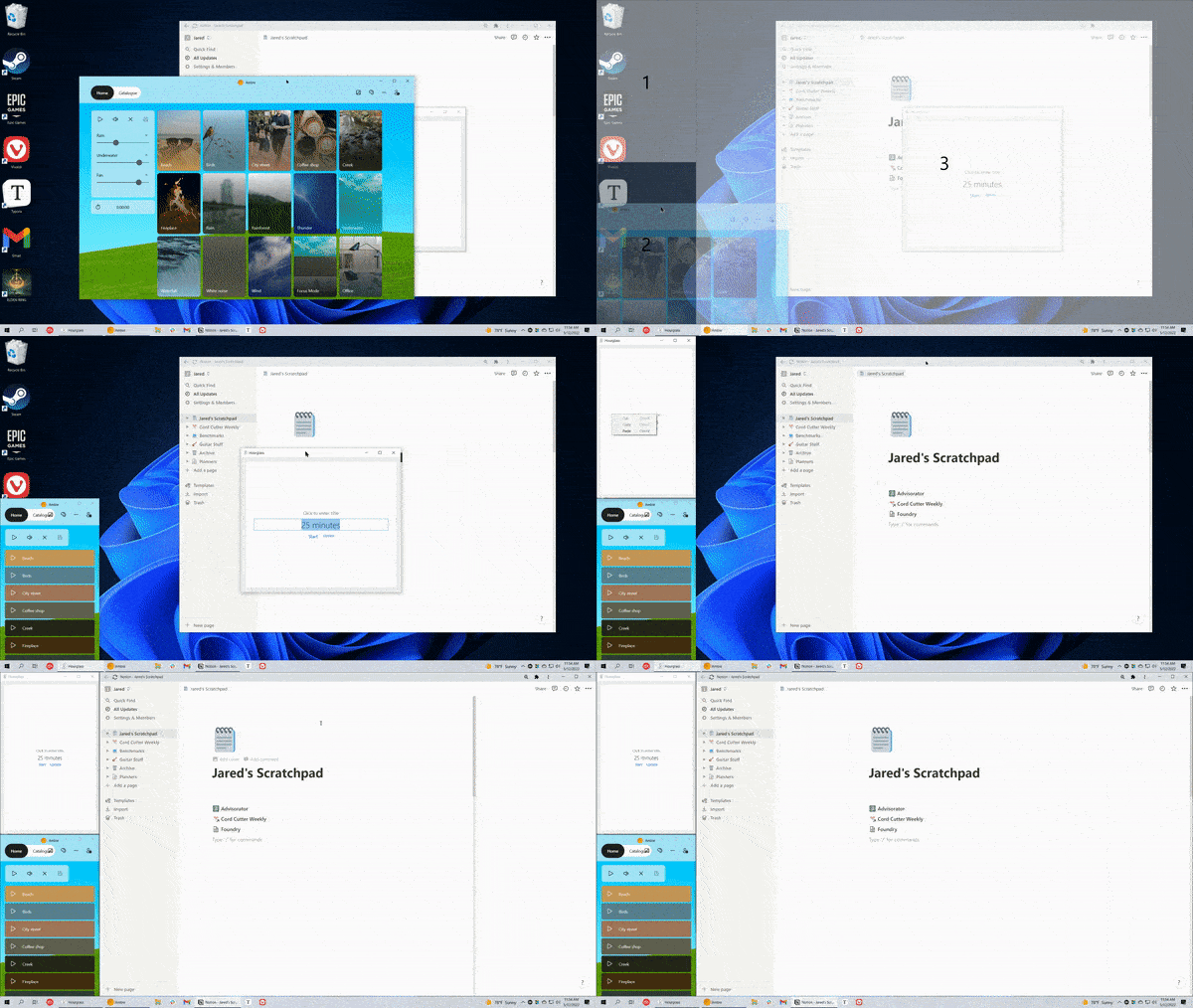
You can fine-tune Windows experience with this article Microsoft’s killer PowerToys suite. PowerToys was designed for professionals and is loaded with tools to simplify all your PC problems. PowerToys offers utilities to batch resize images and quickly locate your mouse cursor. It also allows you to remap your keyboard keys. File Explorer shows previews of files, and many other useful features. You should use it! FancyZones, Microsoft’s killer multitasking app.
Is it worth upgrading to a paid version?
Nope—no premium alternative exists for Microsoft’s awesome collection of tools.
Malwarebytes Anti-Malware Free
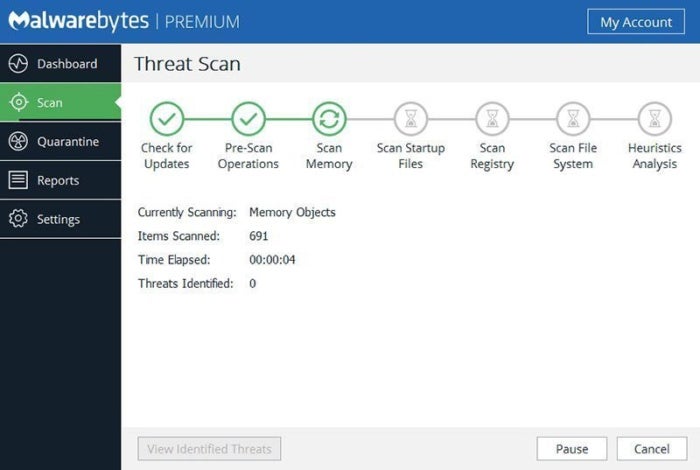
The Windows Security software enabled by default in Windows 10 provides solid protection for most users, but no single antivirus utility offers bulletproof protection, especially against the latest and most clever threats. MalwareBytes Anti-Malware Free was designed specifically to find and eliminate those cutting-edge “zero-day” vulnerabilities. You can’t schedule scans or even use it as a regular antivirus program, but it’s invaluable when you think that something nasty has slipped by your primary antivirus utility.
Is it worth upgrading to a paid version?
Yes. As the saying goes, “a few megabytes of prevention is worth a terabyte of cure,” or something like that. Malwarebytes can save infected computers. Malwarebytes Premium at $40 per year is on guard to stop the malware from getting in its hooks in the first place.
Beyond that, premium antivirus options offer a combination of excellent protection, a worthwhile selection of features, and minimal impact on your PC’s performance. PCWorld’s guide to the best antivirus for Windows PCs can walk you through your options.
Launchy
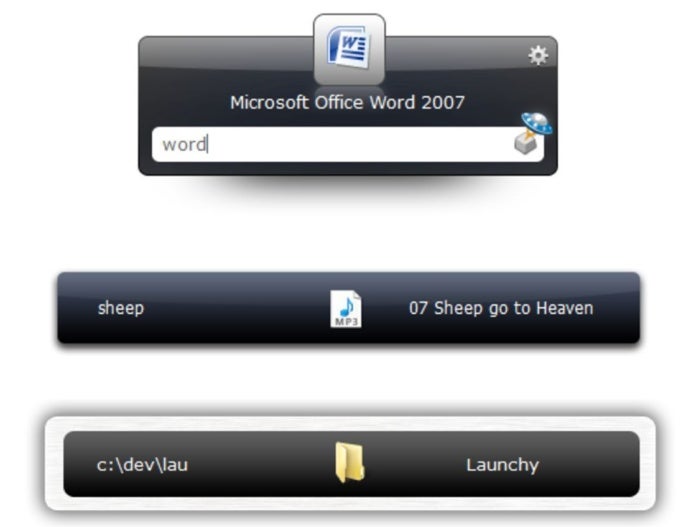
Surroundings are good. Launchy is a simple app launcher, and that’s swell all on its own! Launchers allow you to activate software much faster than you can navigate Windows. Even if you use the Windows Key and search for an application by name, it will still take you a lot longer. Launchy can do so much more. Launchy can open any file or folder in seconds, shut down your computer, kill processes, and even perform math calculations. plug-ins. Read Lifehacker’s superb tutorial and forget about your Start menu.
Is it worth upgrading to a paid version?
No. Launchy is another Windows utility that is unto itself; however, the developers do accept donations, and we highly recommend tossing the developers a few dollars for this excellent program.
7-Zip
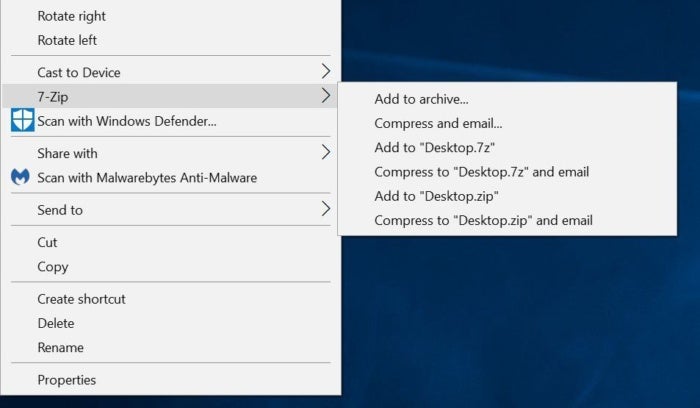
Windows can create and extract ZIP files natively, but if you find yourself staring at another compressed archive you’ll need a dedicated program to handle it. Many of them are expensive. 7-Zip is open-source and completely free, ready to perform all your archiving needs from Windows’ right-click context menu. Securely send 7-Zip archives encrypted with a password.
Is it worth upgrading to a paid version?
No. 7-Zip is great, and paid parallels such as WinZip really don’t offer enough to justify the fee. Perhaps a faster utility is better if you are spending a lot of time zipping large archive files. WinZip is worth it. For most of us, however, 7-zip is just great.
VLC

Windows 10 and 11 have a prickly problem: Unlike Windows 7, they’re incapable of playing DVDs out of the box. If you purchased a boxed model, your computer may already have a DVD-playing application installed. simply wonderful VLC media player can play your flicks (and music, and podcasts, and…) for free. It can even play some Bluray discs with a little fiddling.
Is it worth upgrading to a paid version?
No. VLC is just fantastic, and you won’t find a paid option that justifies its worth compared to this free workhorse. VideoLAN can still be paid a small donation to show your appreciation for their hard work.
Paint.net
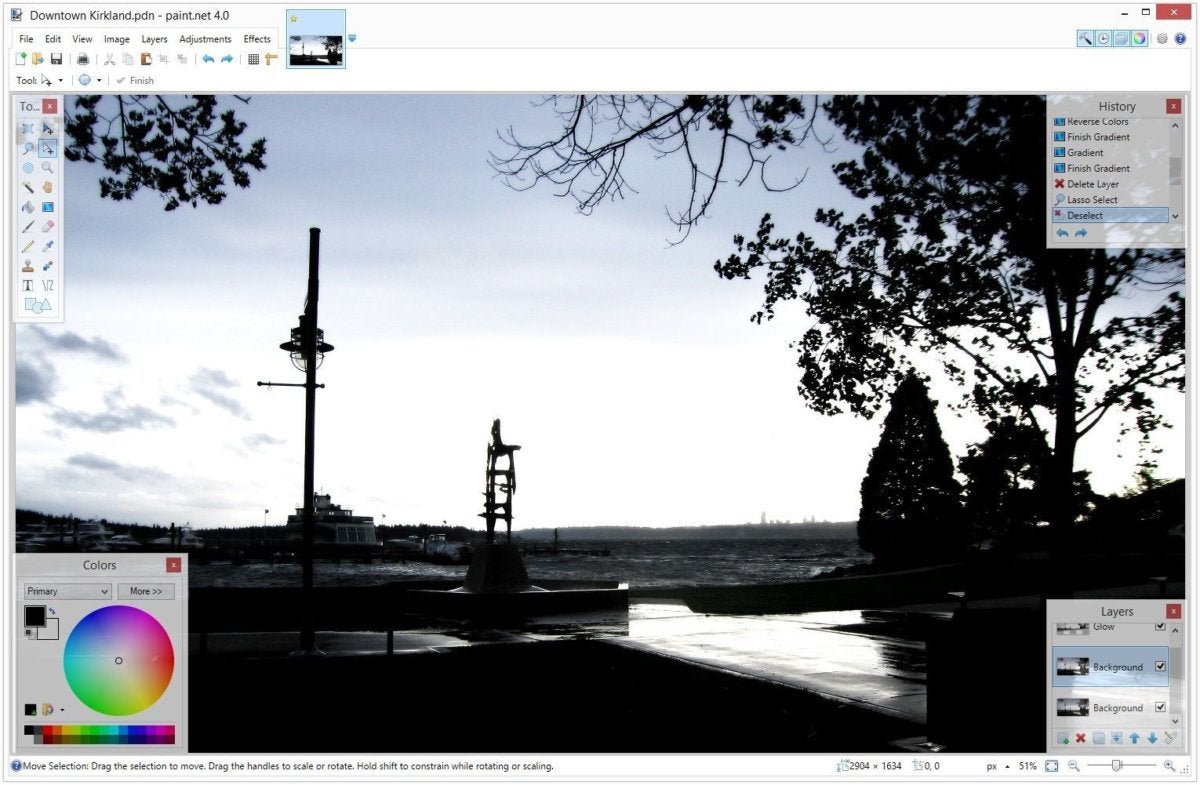
Don’t let Paint.net’s freebie status fool you: This image editor may not have all the bells and whistles of Photoshop, but it packs everything that most people need (even layer-based editing) and costs hundreds of dollars less. We’ve got Paint.net tips to help you get started with this killer no-cost software.
If you’re a graphics professional, and you can’t afford Photoshop but require more than Paint.net offers, check out GIMP. Although it is a difficult learning curve, its capabilities are quite impressive once you get the hang of it. Those aren’t your only options though. Check out our roundup. best free Photoshop alternativesYou can find more no-cost programs that cover everything, from quick and easy tweaks to the finer details of image editing.
Is it worth upgrading to a paid version?
Yes. GIMP looks better than ever, and free image editors are generally excellent. But Adobe’s hobbyist level Photoshop Elements at $100 has advanced features that you won’t find in the free programs.
Audacity
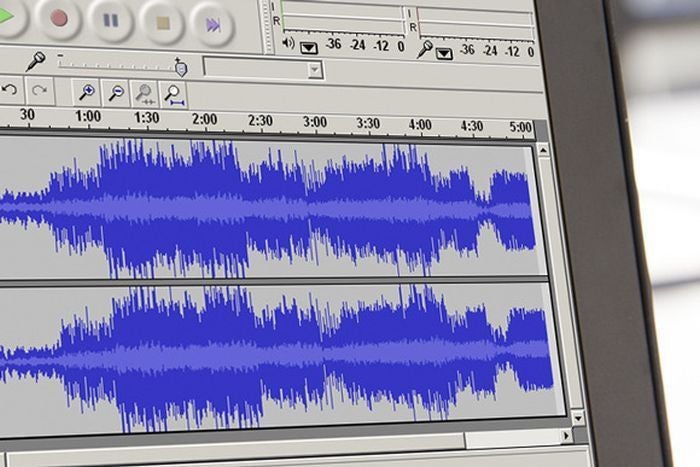
You can record and mix audio without spending a lot on expensive pro software. Audacity is hands-down the best option around. This powerful open-source audio editor offers excellent production capabilities—and a dizzying array of buttons and options. Snag it, then read PCWorld’s Audacity primer to wrap your head around the basics.
Is it worth upgrading to a paid version?
Maybe. For most users Audacity is a powerful tool, but if you’re rising to the level of semi-pro and need a deeper level of audio editing then Adobe’s Audition CC for $21 per month might be worth it. Keep in mind, however, that Adobe Audition is a pro tool and not a starter option.
Revo Uninstaller
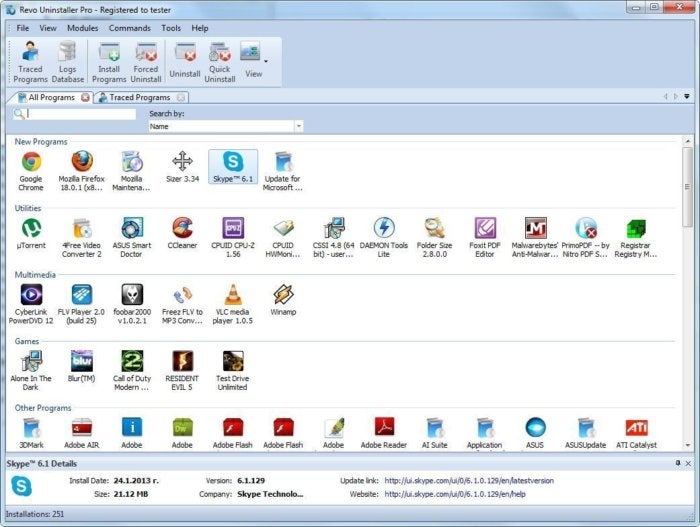
When you delete software using Windows’ default uninstallation utility, it can leave a lot of remnants behind in weird places, sucking up precious storage space. Revo Uninstaller wipes out Everything. It’s great.
(Pro tip: If you encounter a program that says it can’t be deleted because it’s currently in use by your system, IOBit’s free Unlocker can loosen its grasp.)
Is it worth upgrading to a paid version?
Yes. Yes. Spend $20 to get features like uninstalling leftovers from uninstalled programs, or mass uninstalls. Revo Uninstaller Pro or a $20 yearly subscription to Iobit Uninstaller Pro is worth it.
SpaceSniffer
Michael Crider/IDG
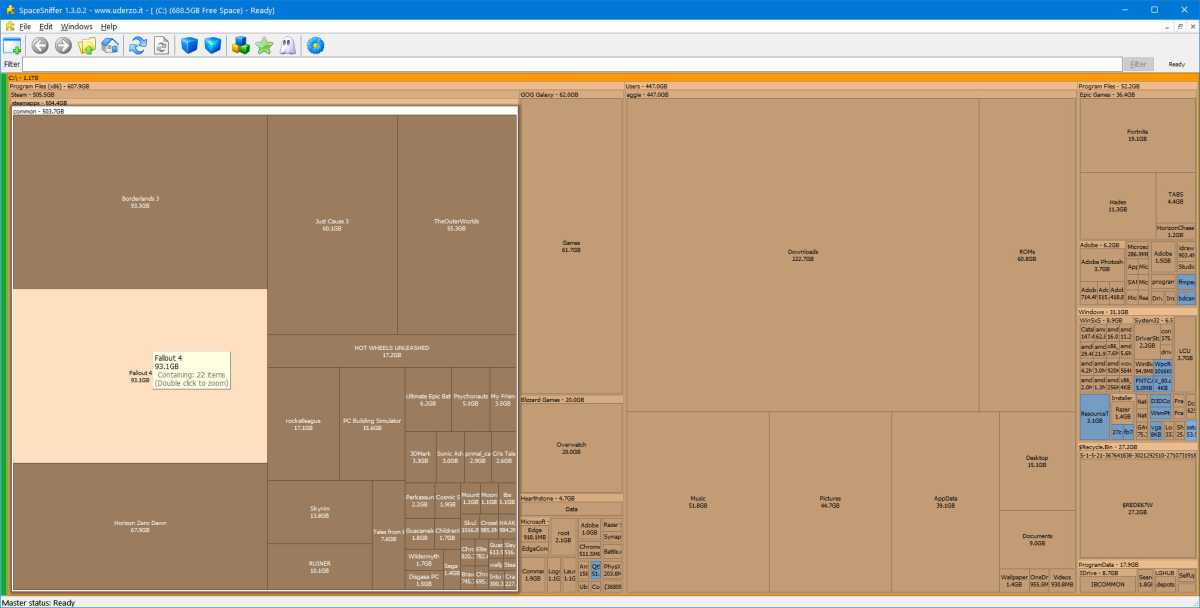
Managing your computer’s storage space is kind of an all-or-nothing experience. Windows will tell you how much space is left on your drive, and that’s it; it’s up to you to dive into a million different directories and clear out the gunk when you’re running low on space. SpaceSniffer (try not to giggle) from Uderzo Software solves this by scanning an entire drive and presenting your files and folders in a visual grid, which makes it easy to find “lost” programs eating up huge chunks of your hard drive space. It’s one of the five Windows power tools we can’t live without.
WinDirStatSpaceSniffer is a free program that acts in a similar way to SpaceSniffer. If you’re looking to free up some space for the latest massive game install, you’ll want one of these installed on your PC.
Is it worth upgrading to a paid version?
Nope. Enough said.
Recuva
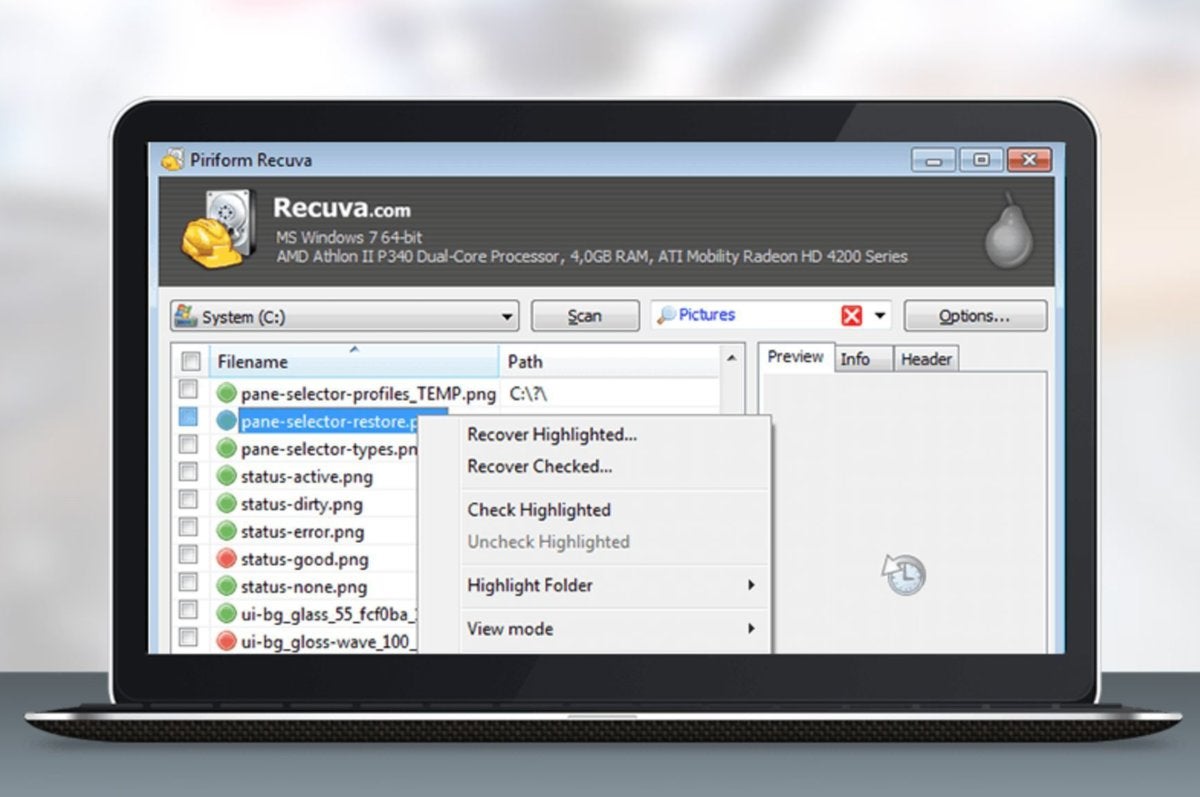
But what if you need to bring a deleted document back into the realm of living? Recuva is a clean, simple undelete program from Piriform, the makers of CCleaner.
Be warned: Recuva won’t be able to recover all deleted files, and the odds are even lower if you erased a program with a secure delete tool like Eraser (another top-notch free program). Recuva has saved me bacon on more occasions than one.
Is it worth upgrading to a paid version?
Maybe. Recuva can help you recover files. However, if you want powerful user features such as virtual hard drive support or automatic updates, the $20 price will be more than worth it. Recuva Pro might be worth it.
Sumatra PDF
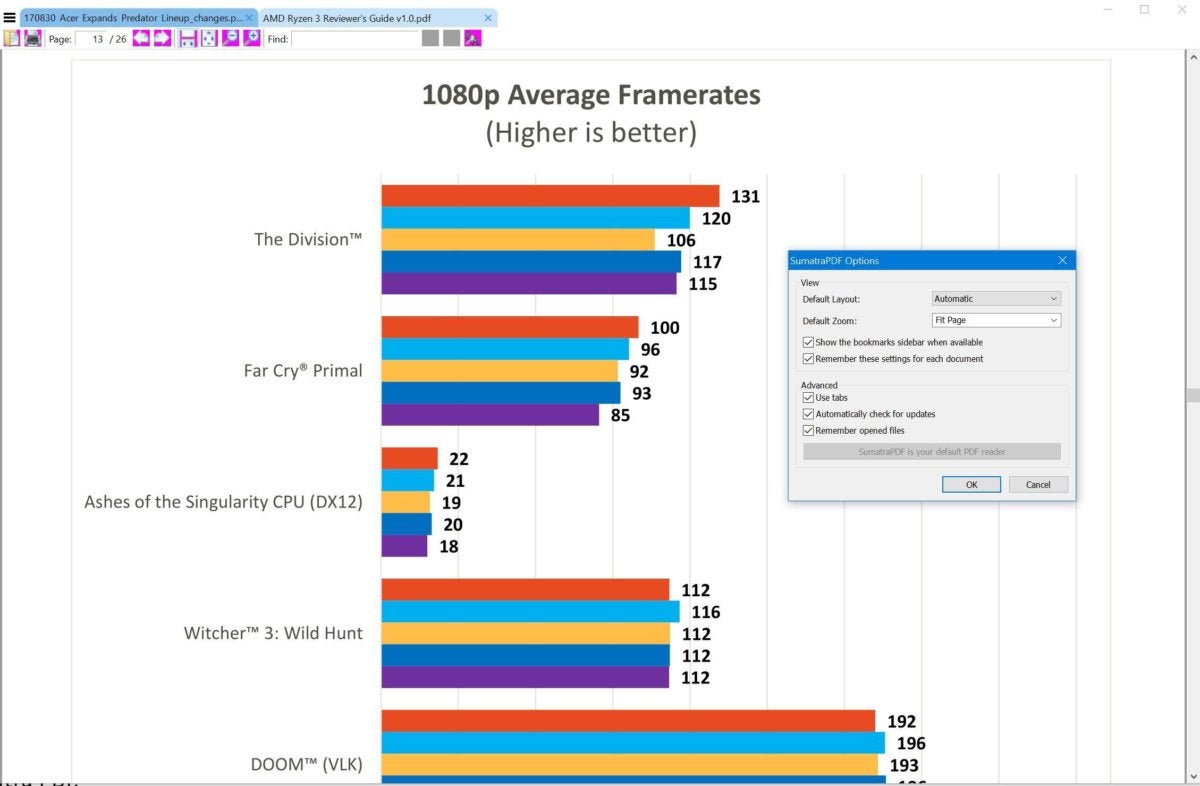
Adobe Reader may be the go-to PDF reader for many people, but it’s clunky, constantly updating, and frequently targeted by malware peddlers. Go with if you are only looking for basic functionality. Sumatra PDF instead. Sumatra PDF lacks many of the fancy extras that are found in full-featured PDF readers. However, Sumatra PDF is fast and accurate when it comes down to reading Portable Document Format files. Oh, and since it’s less ubiquitous than Adobe’s offering, hackers tend to stay away from Sumatra PDF.
Is it worth upgrading to a paid version?
No. There are paid PDF readers like Adobe’s Acrobat or Wondershare’s PDFelement. But they offer features that few people need such as the ability to edit PDFs, watermark, and annotate them.
If you must have these advanced features check out PCWorld’s guide to the best PDF editors.
Spotify or iTunes
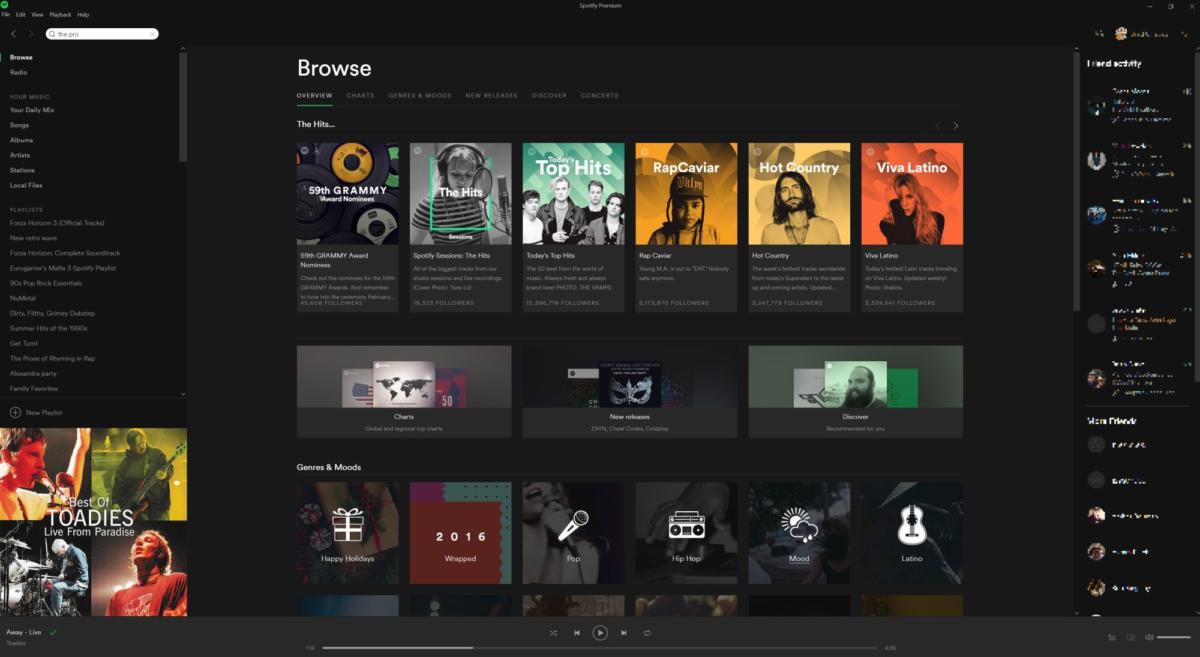
Sometimes, blasting music can be the only thing that makes slogging through a spreadsheet (or a stuffed Inbox) even remotely bearable. The exact music client you’ll want will depend on whether you’ve already bought into a service, naturally. Two programs are recommended to musical neophytes: iTunes and Spotify.
The iTunes Windows client notoriously sucks, but it gets the job done—and that job includes giving you access to a vast universe of premium music downloads keeping your iPhone’s music library synced with your PC. Spotify, meanwhile, is an all-you-can-eat streaming service with millions of top-tier tunes available, all for free if you don’t mind listening to a few ads.
Is it worth upgrading to a paid version?
Yes. In fact, if my editors let me use “Hell Yes” as an option, I’d say, “Hell Yes!” You don’t Not required to be an audiophile to recognize the sound difference in the higher-quality versions Spotify and Apple Music premium subscribers get, plus no ads and the freedom to listen to your music anywhere? Sold.
A password manager
The high-profile hack attacks of the past few years have driven home the point: You need strong passwords, and you need a different password for each site you visit. Instead of trying to remember dozens upon dozens of alphanumeric keys in your head, download a password manager.
There are many options. Our favorite freebie is Bitwarden. no-cost password manager with few restrictions(unlike the premium offerings like LastPass or Dashlane, which are free). PCWorld’s guide to the best password managers and the best free password managers can help walk you through all the available options.
Is it worth it to upgrade to a paid version?
Yes. Password managers are important tools, but you need them on all your devices to be effective that means paying for the service. LastPass Premium is the cheapest subscription at $24 per year, but there’s also 1Password and Dashlane Premium.
A productivity suite
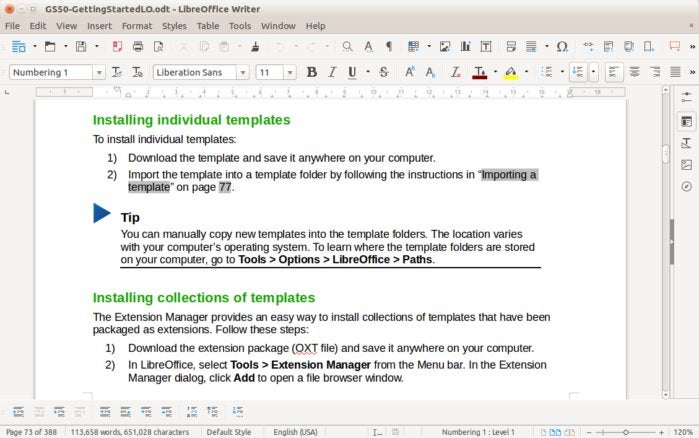
PCs excel at helping you Get Things Done—but few of them ship with a productivity suite installed. Fix that, stat! Even if you don’t plan to use a productivity suite regularly, it’s smart to have basic editing capabilities available on your computer.
Legions of people swear by Microsoft’s legendary Office; I do, too. But you don’t have to drop big dollars on Office if you don’t need its myriad bells and whistles. Free—and good—alternatives abound, with LibreOffice (pictured) being the flagship free-and-open-source option. The online-only Google Docs also rocks. PCWorld’s guide to the best free Microsoft Office alternatives explains your various options.
Is it worth upgrading to a paid version?
Maybe. You can get a lot done with LibreOffice or Open Office, or even Google Docs. But there’s a lot to be said for Microsoft’s subscription service, Office 365, with its added 1TB of OneDrive storage and monthly Skype minutes.
AutoHotKey
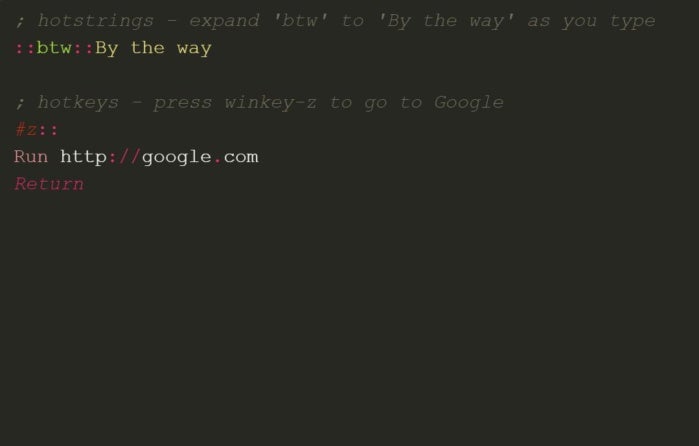
Macros sure are great in Microsoft Word and Excel, aren’t they? AutoHotKey lets you create customized keyboard shortcuts for any program or action on your PC. It’s not exactly beginner-friendly, as configuring AutoHotKey requires some very basic scripting, which most people will be able to pick up quickly enough. It’s downright magic once you wrap your brain around it though.
Is it worth upgrading to a paid version?
No. Even if you could pay for a pro version, why would you? But if you like keyboard shortcuts, Vimium is another great free option for adding keyboard controls to your browser.
TunnelBear VPN
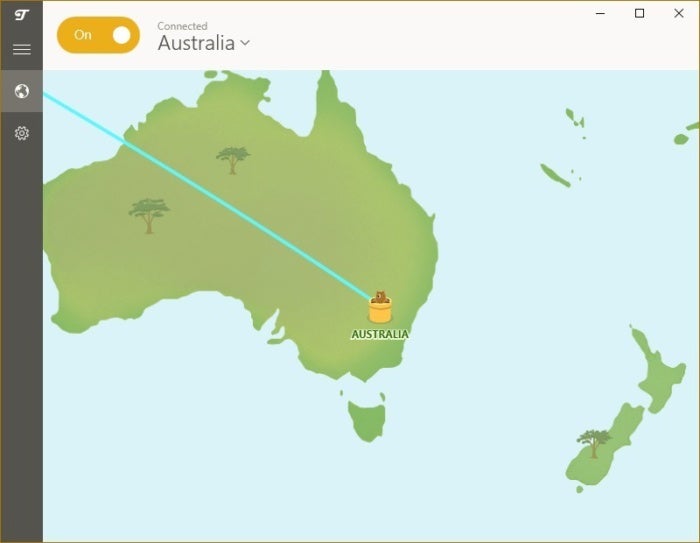
Browsing websites and sending private data over open Wi-Fi hotspots is just begging for hackers to capture the details. Virtual private networks secure your connection. If you need to log in to your work website or email at Starbucks, use TunnelBear to keep your data safe. It’s fast, easy to use, and has a straightforward privacy policy, unlike many VPNs.
The free version is limited to just 500MB of data per month, though.
Is it worth it to upgrade to a paid version?
Yes. This is another one where “Hell Yes!” would be appropriate. TunnelBear is great, and we think it’s a trustworthy product, but the 500MB monthly limit is so tiny. There are numerous VPNs to choose from. Check out our roundup of the Best VPNs to find the one that suits you. Our current top pick is ExpressVPN.
Free games!
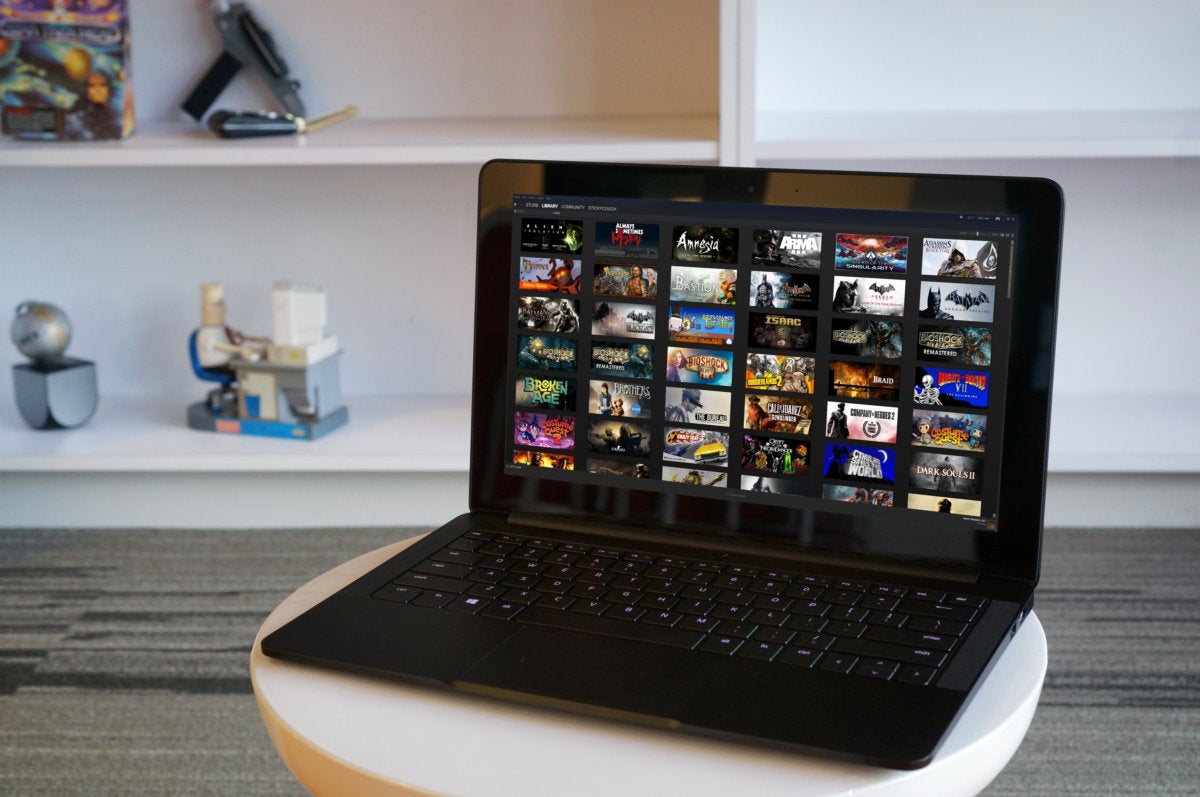
All work and no play makes Homer something something! Valve’s outstanding PC game marketplace, Steam, makes it easy to shrug off the stress of the workday and blow off some … well, you know. You’ll find tons of free games available on Steam, and games are frequently given away free for a limited time. If you want a steady stream of freebies, the rival Epic Games Store gives way a free game or two eVery single week.
Is it worth upgrading to a paid version?
Probably. Free games can only take you so far before you’re left wanting more. Steam, GOG, EA’s Origin, the Epic Games Store, and Blizzard can all satisfy your gaming needs once the free games aren’t enough.
Bonus: Back up your PC!
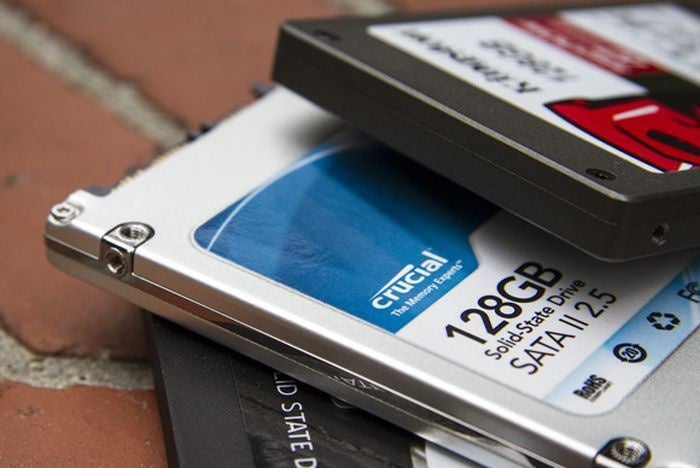
This isn’t an official recommendation because the best way to back up your PC for free is to use a hodgepodge of native Windows utilities and no-cost third-party solutions. But backing up your data is so vital—especially in this rising age of ransomware—that it needs to be highlighted here.
If the idea of using a mish-mash of tools makes you wince, check out PCWorld’s guide to the best Windows backup software for more options. You’re going to need some portable storage to stash your bits on, too. PCWorld’s best external drives roundup can help there.
Is it worth upgrading to a paid version?
Yes. The best strategy for backing up your PC isn’t just throwing your files on a hard drive over USB. You also need to have an online backup, there are many services to choose from such as Backblaze, and Carbonite. Check out our guide to the best online backup services for more details.
Master your Windows PC
Now that you’ve loaded up your PC with the best free Software around, it’s time to put Windows itself to work. Head on over to PCWorld’s guide to 10 little-known Windows features that will blow your mindFor a low, low cost of nothing, you can gain more control over your computer.
Source link
[Denial of responsibility! reporterbyte.com is an automatic aggregator of the all world’s media. In each content, the hyperlink to the primary source is specified. All trademarks belong to their rightful owners, all materials to their authors. If you are the owner of the content and do not want us to publish your materials, please contact us by email – reporterbyte.com The content will be deleted within 24 hours.]
